Skip to content
How to Configure a Zigbee Door and Window Sensor in Home Assistant with ZHA

How to Configure a Zigbee Door and Window Sensor in Home Assistant with ZHA

In this post we will explain how to configure a Zigbee Door and Window Sensor to work with Home Assistant and Zigbee Home Automation (ZHA).

Prerequisite

Before continuing, we assume that you are already running ZHA on Home Assistant. If you're not, then check out our guide on:

The Pairing Process

If this specific example we are demonstrating the pairing process using the Zigbee Door Sensor Contact Sensor - HA/Alexa/Google Compatible sensor.

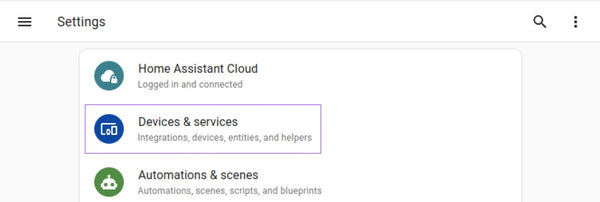
Firstly, open up your Home Assistant dashboard and navigate to the Settings section:

Settings in Home Assistant

Select the Devices & services option from the settings menu.

Use the + Add Integration button in the bottom right hand corner to add a new integration:

Add Integration option in Devices & services in Home Assistant

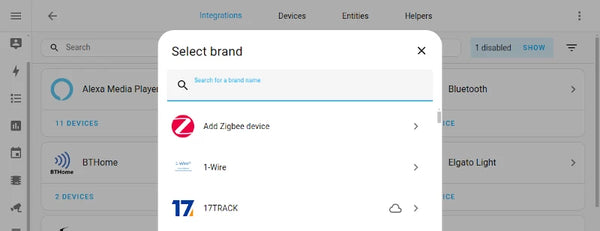
This will open a pop up that will allow you to search for a brand of integration. At the top of the list you should see an option for Add Zigbee device:

Add Zigbee device in Home Assistant

Once you click on this, you will be taken through to the add device screen in ZHA:

ZHA Zigbee Home Automation add device screen in Home Assistant

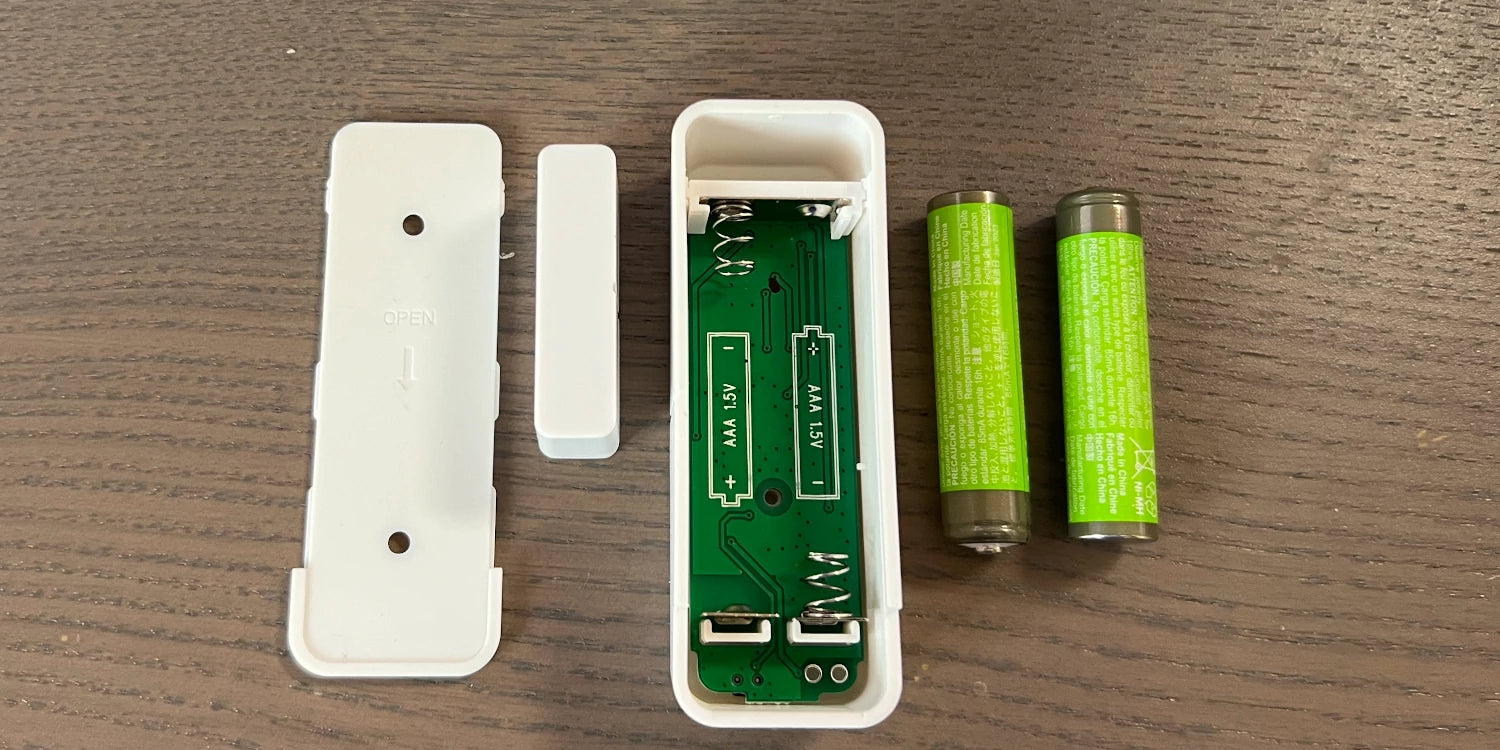
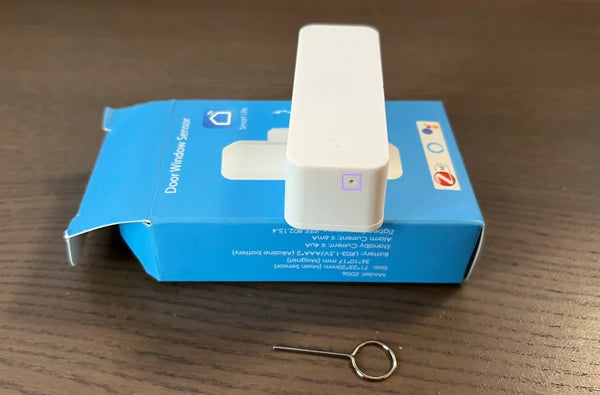
Insert the batteries into your sensor, and use the provided reset pin to press and hold the reset pin until the indicator light starts to flash.

Zigbee door contact sensor reset button

The device will then start the pairing, process and the screen on Home Assistant should change as follows:

ZHA configuring device in Home Assistant

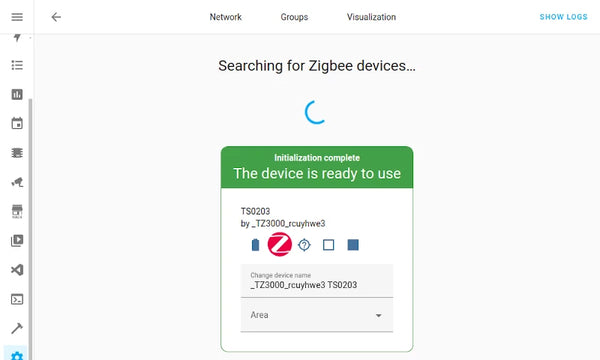
Once this step has completed you will see a success result as follows with the option to rename the device and add it to an area:

ZHA Device Initialisation Complete

The device is now registered in Home Assistant and you can start to use this device in your dashboards and automations!

 

Previous article How to set up the Shelly Smart Plug
Next article How to Configure Zigbee and ZHA with Home Assistant

Leave a comment

Comments must be approved before appearing

* Required fields

See More

  • Choosing the right Home Assistant Server: HAS-B1, HAS-B2, or HAS-H3

    Choosing the right Home Assistant Server: HAS-B1, HAS-B2, or HAS-H3

    We stock a large range of Home Assistant servers that come pre-installed with Home Assistant OS. Each machine is hand-picked to provide reliable, local smart home control with silent, fanless operation. Below, we compare the specifications of each model so you can decide which one is the right choice to run your Home Assistant server on.

    Read now
  • Matter vs Reality: What Home Assistant Users Should Know

    Matter vs Reality: What Home Assistant Users Should Know

    You’ve probably heard of Matter — the new smart home standard backed by Apple, Google, Amazon, and others. It promises to fix compatibility headaches by letting all your devices talk to each other, regardless of brand or ecosystem.

    Sounds great. But if you’re already deep into smart home setups — especially with Home Assistant and Zigbee — you might be wondering: is Matter even relevant to me?

    Read now
  • Are Smart Home Products Effective at Saving Energy Over Winter?

    Are Smart Home Products Effective at Saving Energy Over Winter?

    Winter is when energy bills hit hardest — and it’s also when smart home technology proves its real value. While no single device is a magic fix, the latest research shows that well-designed smart heating systems consistently help households cut waste, improve comfort, and make heating far more efficient during the coldest months.

    Read now

Compare products

{"one"=>"Select 2 or 3 items to compare", "other"=>"{{ count }} of 3 items selected"}

Select first item to compare

Select second item to compare

Select third item to compare

Compare