


Shelly Vintage G125
£21.99
3 in stock
Overview
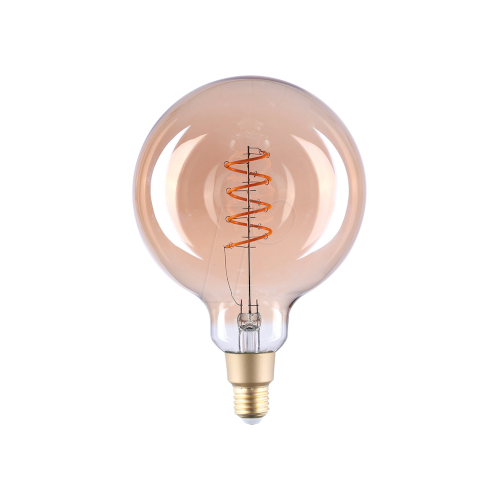
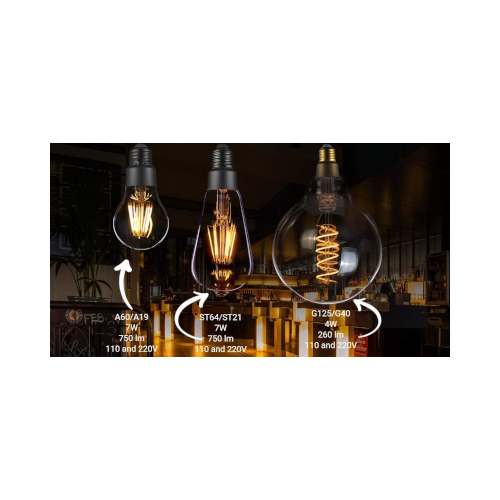
Shelly Vintage G125 is a Wi-Fi operated vintage-style smart bulb designed to combine classic filament aesthetics with modern smart lighting control. Featuring a large G125 amber glass globe, it produces a warm 2700K glow while allowing brightness to be adjusted remotely through the Shelly app.
The bulb connects directly to your 2.4 GHz Wi-Fi network with no hub required and supports dimming, scheduling, and automation through the Shelly Smart Control platform or compatible smart home systems such as Home Assistant. With built-in scheduling and sunrise/sunset automation, it can automatically adjust lighting to match your routine.
Key features
- Wi-Fi operated smart vintage bulb
- Classic G125 amber glass filament design
- Remote brightness control via mobile app
- Dimmable warm white lighting (2700 K)
- Weekly scheduling and automation support
- Sunrise and sunset based lighting schedules
- Energy-efficient LED technology
- No hub required
Product information
Use cases
- Decorative Smart Lighting
- Add warm ambient lighting to living rooms, cafés, or bedrooms while maintaining full smart control.
- Automated Home Lighting
- Create schedules so lights automatically turn on in the evening or turn off when you leave.
- Remote Lighting Control
- Control lighting from anywhere using the Shelly mobile app for convenience and security.
Technical specifications
Power
Power Supply
230 V ±10%, 50 Hz
Power Rating
4 W
Device Power Consumption
< 1 W
Lighting
Socket
E27
Brightness
260 lm
Colour Temperature
2700 K (Warm White)
Dimming
Yes
Colour Rendering Index
Ra > 80
Filament Type
Spiral
Glass / Coating
Amber
Environmental
Protection Class
IP20
Operating Temperature
-10 °C to +40 °C
Lifetime
15,000 hours
Connectivity
Wireless / Wi-Fi Protocol
802.11 b/g/n
Frequency
2412 – 2484 MHz
Radio Signal Power
1 mW
Operational Range
Up to 50 m outdoors
Up to 30 m indoors
Physical
Dimensions (W × H)
125 × 155 mm
What’s included
- Shelly Vintage G125 smart bulb
- User documentation